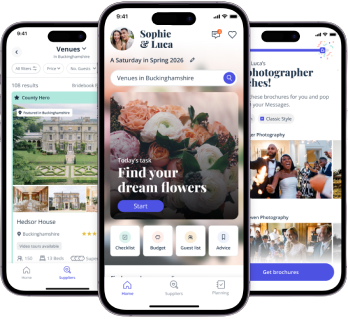
The Best Free Wedding Websites for UK Couples

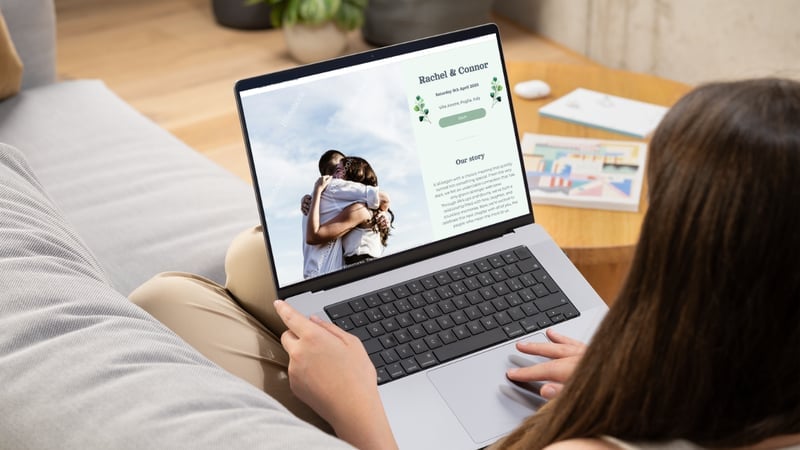
Planning a wedding comes with enough decisions already – your wedding website should be a simple, straightforward, and free one!
There are several strong free wedding website options out there, but they’re not all built equally. And for UK couples especially, some are a much better fit than others.
Several wedding website platforms are genuinely free with no hidden costs. Bridebook’s wedding website and WithJoy both offer free tiers that don’t lock key features behind a paywall. Bridebook’s AI-powered wedding website generator also lets you create a custom website tailored to your wedding theme or colour scheme in mere minutes.
Wix has a functional free tier, too, though it will show its branding on your site. Squarespace is the exception: it offers a free trial, but you’ll need a paid plan to share your site with guests.
To help you further, here’s everything you need to know:
The Best Free Wedding Websites at a Glance
Provider | Best For | Design Options | Truly Free? |
Bridebook | UK couples wanting an all-in-one, UK-relevant builder | Templates, plus AI theme generator | Yes |
WithJoy | Bold colour schemes and design flexibility | Customisable templates and layout options | Yes (with limits) |
Wix | Full creative control and custom design | Custom themes, plus AI layout generator | Free tier available |
Squarespace | Premium design aesthetic | Templates, plus AI-generated layouts | Free trial only |
Already know Bridebook is right for you?
Create your free wedding website1. Bridebook: Best Free Wedding Website for UK Couples
Best for: UK-based couples who want a fully customisable, wedding-specific website with no hidden costs
If you’re planning a wedding in the UK, Bridebook, the UK’s #1 wedding planning platform used by over 2.8 million couples, is our top pick (did you expect anything less? We’ve designed it to suit our couples’ needs!)
For those who’d rather not pick from a generic template, Bridebook’s AI Wedding Website Theme Generator allows couples to describe their wedding in their own words and get a completely bespoke theme (we’re talking colours, fonts, layouts, and more). What’s more, it’s completely free, and available on iOS, Android and web.
In addition, Bridebook’s wedding website covers everything from RSVPs and gift lists to schedules and FAQs, all within a free, intuitive platform. There’s no paywall for the core features – and no US-centric defaults to unpick either.
You can have your wedding website live in under 10 minutes – and it’ll look genuinely good without you needing to touch a single line of code.
Key features:
- AI website theme generator: Get a completely bespoke theme in minutes
- RSVP management: Guests respond directly through your site, and responses feed automatically into your Bridebook guest list. No spreadsheets, no chasing
- Gift list integration: Bridebook partners with leading UK gift registries including Prezola, The Wedding Shop, and The Wedding Present Company. Connect an existing list or set up a new one, and receive up to £50 towards your wedding list when you register with a partner*
- Schedule planner: Map out your entire day with start and end times for each event, from the ceremony through to the evening
- Privacy controls: Password-protect your site, preview it before publishing, and set a custom URL so only your guests can find it
- FAQ section: Pre-empt your most-asked questions in one tidy, scannable section
- ‘Our Story’ feature: Share how you met, the proposal, your favourite photos, and whatever else makes your relationship yours
Pros:
- Bespoke AI-generated themes
- Completely free – no paywalled core features
- Built for UK couples, with UK-relevant gift partners and conventions
- You can order wedding stationery to match
- Multiple design templates and colour schemes
- Mobile-optimised out of the box
- No coding required
Cons:
- No custom domain capabilities
Verdict: For UK couples, Bridebook is the clear choice. It’s built with UK weddings specifically in mind – the gift partners are right, the terminology is right, and the features cover everything you need without charging you for them.
👉 Create your free Bridebook wedding website*£200 must be spent to qualify for the £50 promotion. Terms apply.
2. Wix: Best for Fully Custom, From-Scratch Design

Best for: Couples who want complete creative control and don’t mind building something from scratch
Wix isn’t a wedding-specific platform – it’s a general website builder – but its free tier is genuinely capable, and the drag-and-drop editor makes it possible to design something unique. If you have a clear vision and the time to execute it, Wix gives you more design freedom than any dedicated wedding website platform.
That flexibility comes at a cost, though. Because Wix isn’t built for weddings, you won’t find built-in RSVP tools, gift list integration, or guest management features. You’d need to find and add these manually through third-party apps.
Key features:
- Drag-and-drop website builder with hundreds of templates
- App market for additional functionality (countdown timers, photo galleries, contact forms)
- Blogging tools if you want to share planning updates
- Free subdomain on the free tier (yourname.wixsite.com)
Pros:
- Unmatched creative freedom
- Large template library
- Free tier is genuinely functional
Cons:
- Not built for weddings – no native RSVP, gift list, or guest management tools
- Free tier shows mandatory Wix branding on your site
- Custom domain requires a paid plan
- Steeper setup time than dedicated wedding platforms
Verdict: Best suited to couples who are design-driven, have some website-building experience, and don’t need wedding-specific functionality out of the box. For most couples, a dedicated wedding website builder will be faster and more practical.
Discover free Wix wedding websites
3. Squarespace: Best for Premium Design Aesthetics

Best for: Design-conscious couples who prioritise a polished, high-end look above all else
Squarespace is widely regarded as the gold standard for visual design among website builders – its templates are genuinely beautiful, and the editor gives you precise control over how everything looks. If aesthetics is your top priority and you’re happy to pay for it, it’s hard to beat.
The important caveat: Squarespace isn’t free. It offers a free trial, but you’ll need a paid plan to publish your site and share it with guests. Plans start from £12 per month – worth knowing before you invest time building something on the platform.
Key features:
- Premium design templates with precise customisation
- RSVP and event management (on paid plans)
- E-commerce functionality if you want to sell something (unlikely for a wedding, but it’s there)
- Strong mobile optimisation
Pros:
- Best-in-class design quality
- Polished, professional results
- Strong customer support
Cons:
- Not free – requires a paid subscription to go live
- Not wedding-specific, so no built-in gift list or guest management tools
- More setup time than dedicated wedding platforms
Verdict: If you want a website that looks like it was designed by a professional and you’re happy to pay for it, Squarespace delivers. For couples looking for a free option, or those who want wedding-specific features, look elsewhere.
Discover Squarespace’s wedding website templates
4. WithJoy: Best for Design Flexibility & Colour Customisation

Best for: Couples with strong visual ideas for their wedding who want maximum design flexibility
WithJoy has built a loyal following for good reason – it offers an impressive range of templates and, crucially, genuinely unlimited colour customisation within those templates. If your wedding has a specific palette and you want your website to match it exactly, WithJoy gives you the control to do that.
There’s also a solid set of guest management features, and for couples who are comfortable with a little code, there’s a deeper layer of customisation available that most platforms don’t offer.
Key features:
- Hundreds of customisable templates with unlimited colour options
- Personalised guest schedules and travel tools (including hotel and flight info)
- Built-in Q&A section
- Wedding party bios
- Password-protect individual pages (not just the whole site)
Pros:
- Outstanding design flexibility – one of the most visually customisable options available
- Good guest experience features
- Free to use for core functionality
Cons:
- The sheer number of options can feel overwhelming, especially for couples who just want something quick
- Some advanced features have a steeper learning curve
- Primarily a US platform – some features and defaults are less relevant for UK couples
Verdict: A strong option if design is your priority and you’re willing to invest a bit of time in the setup. Less ideal if you want something quick, or if UK-specific features (like local gift registries) matter to you.
Discover WithJoy’s free wedding websites
Can You Design a Wedding Website with AI?
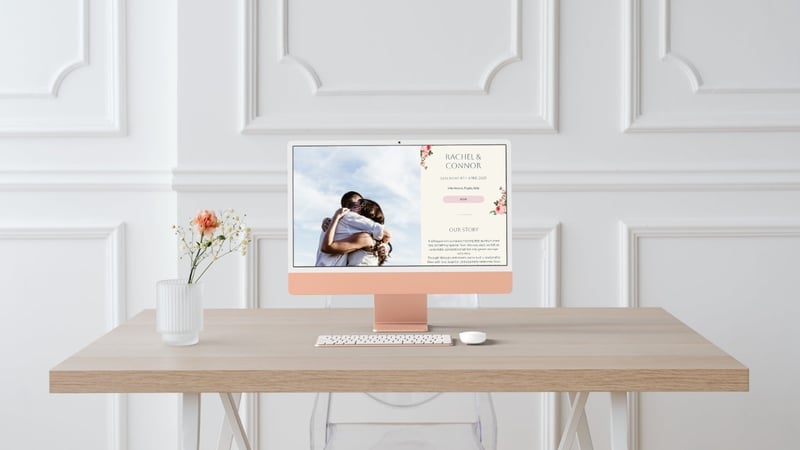
Yes! Designing a bespoke wedding website using AI is easier than you might think, especially when you use a platform like Bridebook and its in-built AI wedding website generator.
Here’s how it works:
- Open the AI Wedding Website Theme Generator in Bridebook
- Describe your wedding in your own words – the vibe, colours, the era you have in mind… anything that feels like you two and your dream event
- Get a one-of-a-kind theme with colours, fonts, and a layout built around your description
- Tweak anything you like, then add your details
Stuck for inspiration? Here are some our favourite wedding website theme examples to try, designed to match the aesthetic of the day you have in mind:
- 70s disco: If Studio 54 did weddings – they might look a bit like this!
- Starry night sky: Celestial details for an out-of-this-world celebration.
- Country garden: For those planning a quintessentially English look – think soft greens, wildflowers, and hand-drawn details.
- Coastal: Whether nautical or tropical, there are options for those dreaming of a light, breezy aesthetic.
- City chic: Try monochrome with a bold accent colour for cool-girl style.
- Cultural and heritage themes: Whether Hindu, Sikh, Jewish, Nigerian or more, draw on the colours, motifs and meaningful rituals celebrated in your cultures.
What to Look for in a Free Wedding Website Builder

Not all free wedding websites are created equal. Here’s what to weigh up before you commit to a platform:
Is it free? Some platforms advertise as free but lock essential features – like custom URLs, RSVP tools, or removing their branding – behind paid plans. Check what’s included before you start building.
Is it built for UK couples? US-based platforms often default to American spelling, US gift registry partners, and dollar-denominated costs. For a UK wedding, this creates unnecessary friction – for you and for your guests.
Does it have the features you need? At minimum, you’ll want RSVPs, a gift list link, a schedule, FAQs, and some form of privacy control. Check these are available on the free tier, not just on paid plans.
How long will it take to set up? Some platforms, especially those with AI theme generators, are genuinely quick (Bridebook, WithJoy). Others, like Wix and Squarespace, give you more control but take longer to make look good. Be honest with yourself about how much time you want to spend on this.
Is it mobile-friendly? Most guests will view your website on their phone. Make sure whatever you build looks as good on mobile as it does on desktop.
Can it look like your wedding? A wedding website that matches your aesthetic sets the tone and gives your guests an immediate preview of what to expect on your day. This is where an AI theme generator can come in handy – all you need to do is describe your desired aesthetic.
Ready to get started? Build your free Bridebook wedding website in minutes.
What to Include on Your Wedding Website

Once you’ve chosen a platform, the content is the easy part. Alongside the need-to-know basics such as the date, time and venue, most couples will also include a way for guests to RSVP, an on-the-day schedule, the dress code and details on travel and accommodation.
They might also include a link to a gift registry.
For the full breakdown, check out this article on what to include on your wedding website.
What is a Free Wedding Website and Do I Need One?
A free wedding website is a personalised webpage where your guests can find everything they need about your big day – the venue, timings, dress code, travel info, how to RSVP, the gift list, and more. The best ones are completely free to set up, require no coding skills, and take minutes rather than hours.
You don’t need one, but most couples find it makes communication significantly easier, especially for managing RSVPs, sharing travel details, and linking to a gift list.
For weddings with guests travelling from different places or a lot of moving parts on the day, a website replaces dozens of individual messages and calls.
Some platforms are genuinely free with no hidden costs. Others offer a free tier but lock their best features behind a paywall.
Want to know more about wedding websites? We go deeper into what a wedding website is.
How to Create Your Wedding Website for Free
If you’re ready to get started and create a wedding website, here’s how to go from zero to live in under 10 minutes:
- Choose your platform. For UK couples, Bridebook is the straightforward choice.
- Pick a template or describe your theme. Bridebook’s AI wedding theme generator is the best option for those who want something bespoke, otherwise pick from a selection of customisable templates.
- Add your key details. Your date, venue, schedule, RSVP, and a link to your gift list are the essentials.
- Set your privacy settings. Password-protect your site so only invited guests can access it.
- Share the URL. Include it on your save the dates, in your invitations, and anywhere else you’re directing guests for information.
Wedding Website FAQ

Are wedding websites really free?
Yes – several platforms offer genuinely free wedding websites with no payment required for the core features. Bridebook, WithJoy, and Wix all have free tiers that are functional and complete. Squarespace offers a free trial but requires a paid plan to publish.
Which is the best wedding website in the UK?
Bridebook. It’s a platform built specifically for UK couples, with UK gift registry partners, UK spelling and conventions, and all the key features available completely free.
Can I password-protect a free wedding website?
Yes – Bridebook and WithJoy both offer password protection on their free tiers, so only guests with your link and password can access your site.
Do I need a custom domain for my wedding website?
Not necessarily. Most free tiers offer a subdomain (e.g., yournames.bridebook.com), which works perfectly well for sharing with guests. If you want a fully custom domain (e.g., zoeandjames2026.com), you’ll typically need a paid plan.
When should I create my wedding website?
As early as possible – ideally before your save the dates go out, so you can include the URL from the start. The sooner your website is live, the more useful it is. You can also find the perfect wedding hashtag to include!
Can I change my wedding website design after it’s live?
Yes. On Bridebook, you can update your theme, colours, and content at any time, even after your site is live, and guests will see the changes straight away.
How do guests RSVP through a wedding website?
Guests can RSVP to your wedding by visiting the correct URL and completing a digital response form, usually by tapping on the dedicated RSVP or Respond button.
Ready to build your wedding website?
Describe your preferred wedding theme, style, and colour palette into Bridebook’s AI Wedding Website Theme Generator, and get a custom layout tailored to your vision in minutes!
Why Trust Bridebook
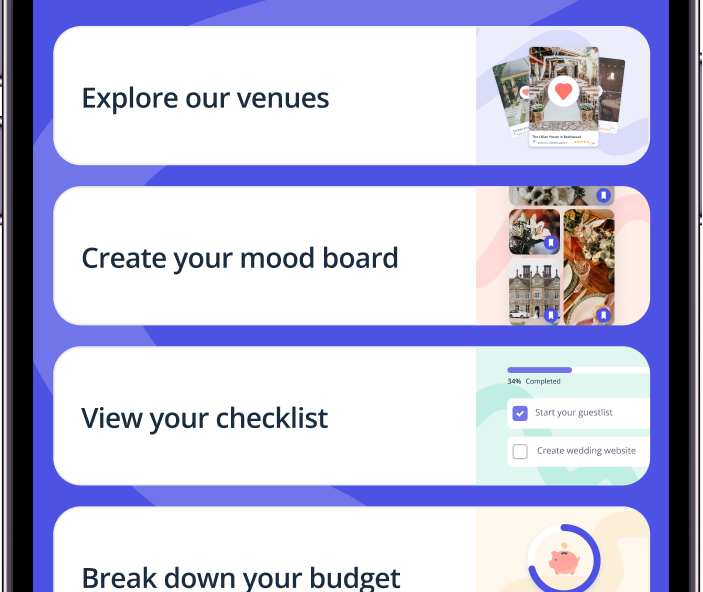
Bridebook is the UK’s #1 wedding planning platform, used by over 2.8 million couples. Our content is informed by real data from the Bridebook UK Wedding Report, which draws on responses from thousands of couples planning their weddings each year. Where expert input is included, contributors are named and their credentials verified. We update our articles regularly to ensure prices, statistics, and advice reflect current market conditions.
You Might Also Like
- What to Include on Your Wedding Website
- What Is a Wedding Website and Why Do I Need One
- Wedding Hashtag Generator
- Introduction: Wedding Gift List
Related articles